洋流
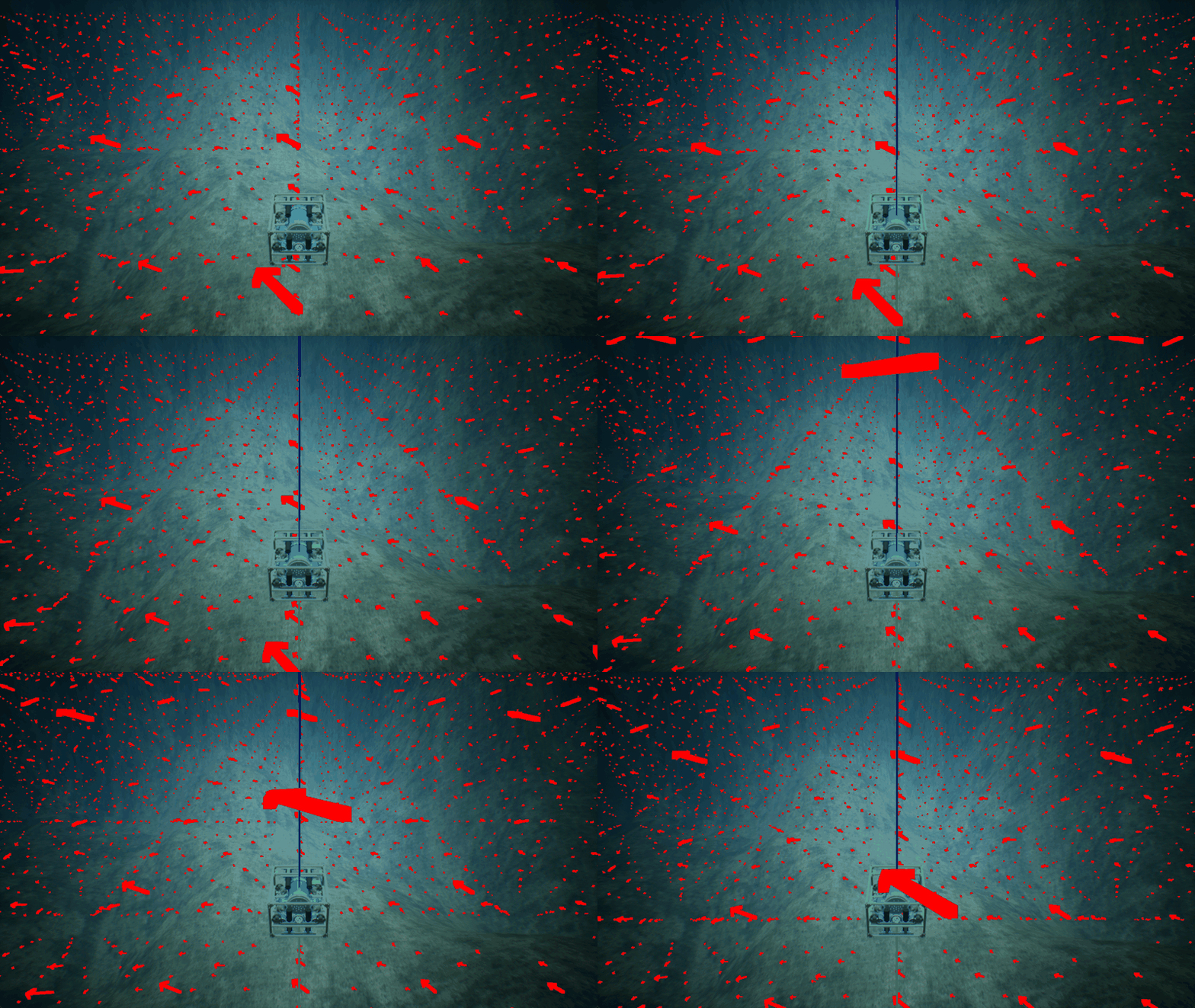
本示例演示了如何在 HoloOcean 模拟中实现洋流。洋流由一个函数定义,该函数接收水下航行器的位置并返回该位置的洋流速度。在本示例中,我们定义了一个涡流场来模拟旋转的水流。该洋流场应用于仿真中的两个水下航行器,用户可以通过键盘输入控制其中一个航行器。
import holoocean
import numpy as np
from pynput import keyboard

scenario = {
    "name": "test_currents",
    "world": "SimpleUnderwater",
    "package_name": "Ocean",
    "main_agent": "auv0",
    "ticks_per_sec": 30,
    "frames_per_sec": 90,
    "current": {
        "vehicle_debugging": True
    },
    "ticks_per_sec": 60,
    "agents": [
        {
            "agent_name": "auv0",
            "agent_type": "HoveringAUV",
            "sensors": [
                {
                    "sensor_type": "LocationSensor",
                    "socket": "COM",
                    "configuration": {
                        "Sigma": 0
                    }
                }
            ],
            "control_scheme": 0,
            "location": [5, -5, -15]
        },
        {
            "agent_name": "auv1",
            "agent_type": "HoveringAUV",
            "sensors": [
                {
                    "sensor_type": "LocationSensor",
                    "socket": "COM",
                    "configuration": {
                        "Sigma": 0
                    }
                }
            ],
            "control_scheme": 0,
            "location": [-5, -5, -15]
        }
    ]
}

pressed_keys = list()
force = 10

def on_press(key):
    global pressed_keys
    if hasattr(key, 'char'):
        pressed_keys.append(key.char)
        pressed_keys = list(set(pressed_keys))

def on_release(key):
    global pressed_keys
    if hasattr(key, 'char'):
        pressed_keys.remove(key.char)

listener = keyboard.Listener(
    on_press=on_press,
    on_release=on_release)
listener.start()

def parse_keys(keys, val):
    command = np.zeros(8)
    if 'i' in keys:
        command[0:4] += val
    if 'k' in keys:
        command[0:4] -= val
    if 'j' in keys:
        command[[4,7]] += .25 * val
        command[[5,6]] -= .25 * val
    if 'l' in keys:
        command[[4,7]] -= .25 * val
        command[[5,6]] += .25 * val

    if 'w' in keys:
        command[4:8] += val
    if 's' in keys:
        command[4:8] -= val
    if 'a' in keys:
        command[[4,6]] += val
        command[[5,7]] -= val
    if 'd' in keys:
        command[[4,6]] -= val
        command[[5,7]] += val

    return command

def vortex_field(location):
    x, y, z = location
    if z > 0:
        return [0, 0, 0]
    strength = 5.0
    r_squared = x**2 + y**2 + 1e-5  # 避免除以零
    dx = -y / r_squared * strength
    dy = x / r_squared * strength
    dz = 0.2 * np.cos(0.1 * r_squared)
    return [3*dx, 3*dy, 3*dz]

vehicles = ['auv0', 'auv1']
map_dimensions = [100, 100, 35]

with holoocean.make(scenario_cfg=scenario, start_world=False) as env:
    clock = 0
    while True:
        clock += 1
        if clock == 2000:
            env.draw_debug_vector_field(vortex_field, location=[0, 0, 0], vector_field_dimensions=map_dimensions, arrow_thickness=7, arrow_size=.25, spacing=3)
        tick_info = env.tick()
        command = parse_keys(pressed_keys, force)
        env.act("auv0", command)

        # Apply currents
        for vehicle in vehicles:
            location = tick_info[vehicle]['LocationSensor']
            current_velocity = vortex_field(location)
            env.set_ocean_currents(vehicle, current_velocity)