可视化 Raycast 激光雷达
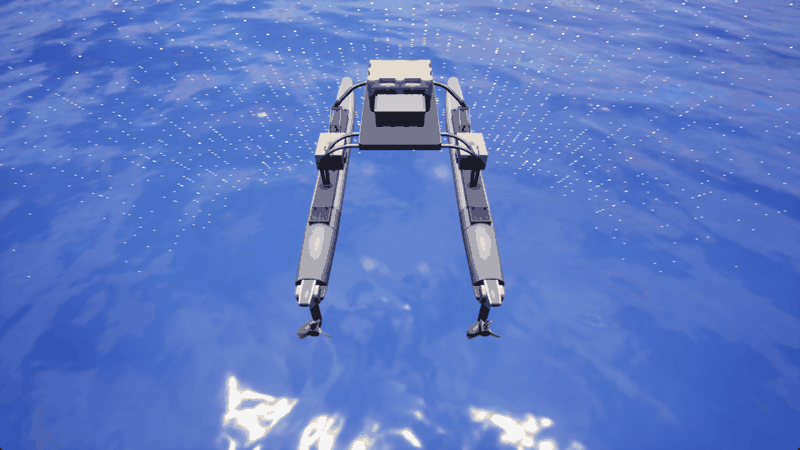
在仿真过程中,将激光雷达传感器的输出可视化非常有用。此脚本可以实现这一点,在 HoloOcean 环境中绘制每次扫描的结果。该脚本还允许您控制代理。
import holoocean
import numpy as np
from pynput import keyboard

pressed_keys = list()
name = "sv"

config = {
    "name": "SurfaceNavigator",
    "world": "SimpleUnderwater",
    "package_name": "Ocean",
    "main_agent": name,
    "ticks_per_sec": 30,
    'frames_per_sec': 150,
    "agents": [
        {
            "agent_name": name,
            "agent_type": "SurfaceVessel",
            "sensors": [
                {
                    "sensor_type": "GPSSensor",
                },
                {
                    "sensor_type": "RaycastLidar",
                    "configuration": {
                        "socket": "Platform",
                        "Channels": 128,                     # 激光器数量
                        "Range": 200,                         # 每个激光器可测量的最大距离
                        "PointsPerSecond": 200000,            # 每秒点数
                        "RotationFrequency": 10,               # 激光雷达旋转频率(单位:赫兹)
                        "UpperFovLimit": 30,                  # 视野上限(水平以上角度)
                        "LowerFovLimit": -30,                 # 视野下限(水平以下角度)
                        "HorizontalFov": 360.0,               # 水平视场角(度)
                        "AtmospAttenRate": 0.4,               # 大气衰减率
                        "RandomSeed": 0,                      # 随机数生成器的种子
                        "DropOffGenRate": 0.2,                # 一般丢弃率
                        "DropOffIntensityLimit": 0.8,         # 强度值低于该值时开始下降
                        "DropOffAtZeroIntensity": 0.4,        # 零强度时的丢弃率
                        "ShowDebugPoints": True,              # 在模拟器中显示激光击中点以进行调试
                        "NoiseStdDev": 0.0                    # 测量噪声的标准偏差(厘米)
                    },
                    "Hz": 10
                }
            ],
            "control_scheme": 0, # 手动控制方案
            "location": [-20,0,10],
            "rotation": [0, 0, 0]
        }
    ],
}

# 允许使用键盘输入控制代理
def on_press(key):
    global pressed_keys
    if hasattr(key, 'char'):
        pressed_keys.append(key.char)
        pressed_keys = list(set(pressed_keys))

def on_release(key):
    global pressed_keys
    if hasattr(key, 'char'):
        pressed_keys.remove(key.char)

listener = keyboard.Listener(
    on_press=on_press,
    on_release=on_release)
listener.start()

force = 300
def parse_keys(keys, val):
    command = np.zeros(2)
    if 'i' in keys: # 前进推力
        command[:] += val
    if 'k' in keys: # 后推力
        command[:] -= val
    if 'j' in keys: # 逆时针横滚
        command[0] -= val
        command[1] += val
    if 'l' in keys: # 顺时针横滚
        command[0] += val
        command[1] -= val

    return command

with holoocean.make(scenario_cfg=config, start_world=False) as env: #
    while True:
        if 'q' in pressed_keys:
            break
        command = parse_keys(pressed_keys, force)

        # 发送至 holoocean
        env.act(name, command)
        state = env.tick()