CARLA + ROS 桥接后,用 rostopic 发布控制命令驱动车辆
简介
在 Ubuntu 20.04 实体机上完成 CARLA 与 ROS 桥接后,用 rostopic 直接向主车发布控制命令驱动车辆行驶。
环境要求
- Ubuntu 20.04 实体机(非虚拟机)
- CARLA 0.9.13(安装目录下运行
./CarlaUE4.sh启动服务器) - ROS Noetic
- carla-ros-bridge(工作区
~/carla-ros-bridge/catkin_ws,已编译)
配套代码
本教程对应的代码位于仓库 src/ground/rostopic_cruise/ 目录,与下面各步骤的命令一一对应:
| 步骤 | 代码文件 |
|---|---|
| 启动 CARLA | src/ground/rostopic_cruise/start_carla.sh |
| 加载桥接环境 | src/ground/rostopic_cruise/setup_bridge.sh |
| 启动 ROS 桥与主车 | src/ground/rostopic_cruise/launch_bridge.sh |
| 查看控制消息字段 | src/ground/rostopic_cruise/show_control_msg.sh |
| 发布行驶命令 | src/ground/rostopic_cruise/drive.sh |
| 发布制动命令 | src/ground/rostopic_cruise/stop.sh |
| 列出话题 | src/ground/rostopic_cruise/list_topics.sh |
| 回显车辆状态 | src/ground/rostopic_cruise/echo_status.sh |
| 查看话题类型与频率 | src/ground/rostopic_cruise/inspect_topic.sh |
| 查看 ROS 节点 | src/ground/rostopic_cruise/rosnode_view.sh |
| 发布倒车命令 | src/ground/rostopic_cruise/reverse.sh |
操作步骤
终端 1:启动 CARLA
cd ~/carla          # 改成你的 CARLA 安装目录

./CarlaUE4.sh
等待 CARLA 窗口加载出地图画面(几十秒到几分钟)。
终端 2:加载桥接环境,启动 ROS 桥与主车
source ~/carla-ros-bridge/catkin_ws/devel/setup.bash
roslaunch carla_ros_bridge carla_ros_bridge_with_example_ego_vehicle.launch
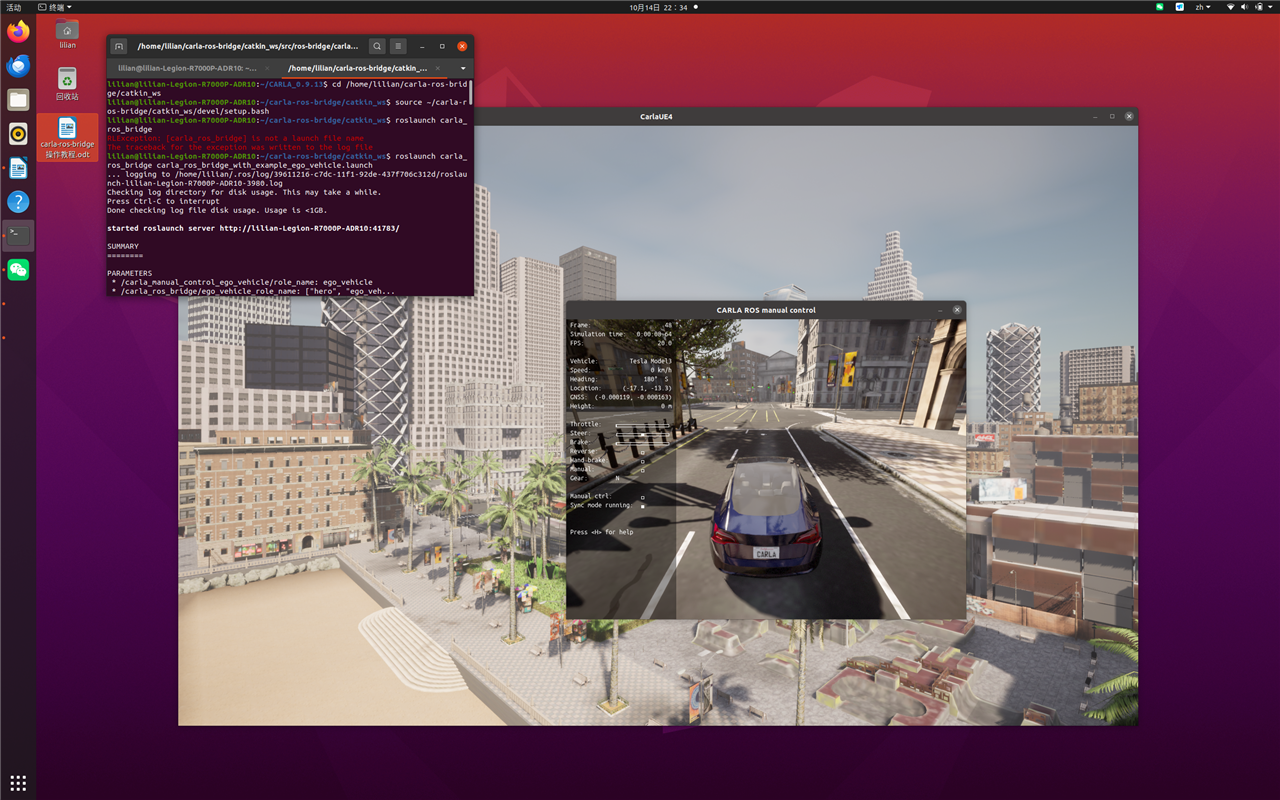
运行成功后,CARLA 窗口会生成主车(Tesla Model3),manual control 面板显示 ego_vehicle running:
终端 3:查看控制消息,发布控制命令
打开第 3 个终端,先加载桥接环境:
source ~/carla-ros-bridge/catkin_ws/devel/setup.bash
查看车辆控制消息的字段定义:
rosmsg show carla_msgs/CarlaEgoVehicleControl
向主车发布控制命令(以 20 Hz 发布:油门 0.5、方向直行、无刹车):
rostopic pub -r 20 /carla/ego_vehicle/vehicle_control_cmd carla_msgs/CarlaEgoVehicleControl "{throttle: 0.5, steer: 0.0, brake: 0.0, hand_brake: false, reverse: false, gear: 1, manual_gear_shift: false}"
运行效果
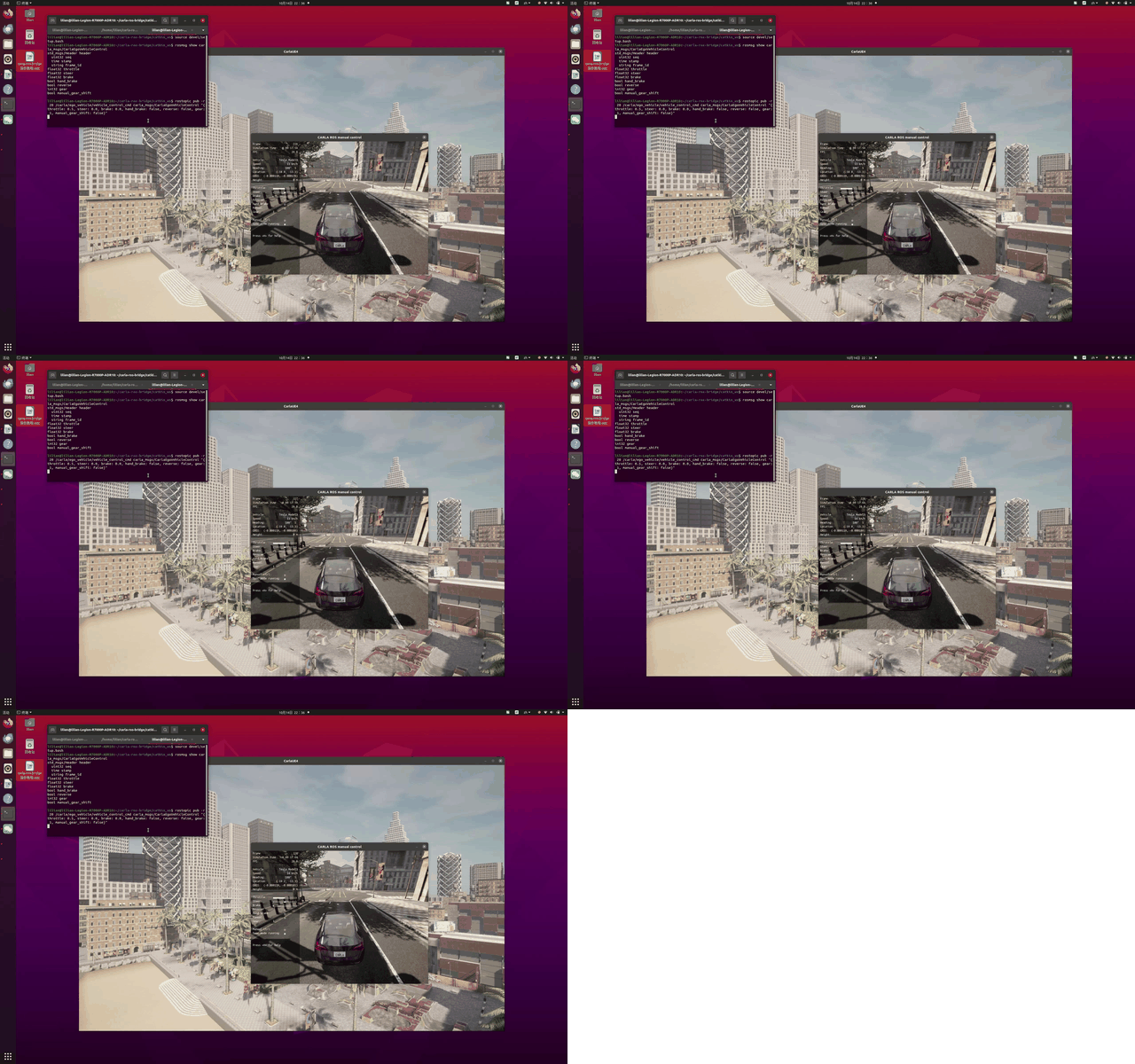
演示动图:发布控制命令后车辆行驶
若要让车辆快速停下,按 Ctrl + C 暂停上一条命令,停止发布,再发布制动命令:
rostopic pub -r 20 /carla/ego_vehicle/vehicle_control_cmd carla_msgs/CarlaEgoVehicleControl "{throttle: 0.0, steer: 0.0, brake: 1.0, hand_brake: false, reverse: false, gear: 1, manual_gear_shift: false}"
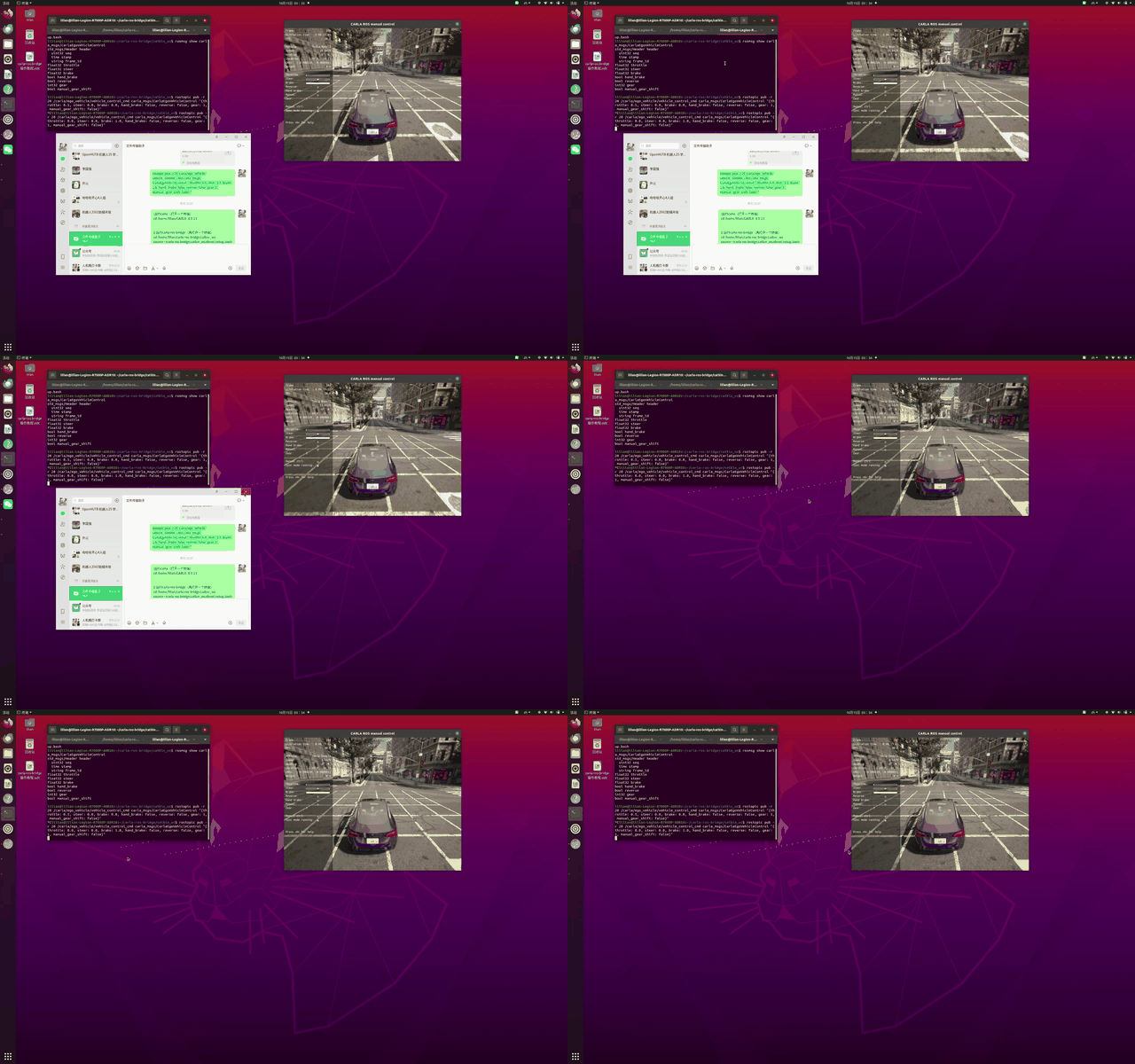
演示动图:发布制动命令(油门 0、刹车 1)后,车辆从 24 km/h 减速至停止
效果说明
- 发布控制命令后,CARLA 窗口中的主车以油门 0.5 起步直行前进。
Ctrl + C停止发布后,发布制动命令,车辆逐渐减速停下。- 调整
throttle(油门)和steer(转向)数值,可改变车辆速度和行驶方向。
命令参数展示
rostopic pub 命令中的各参数含义与取值:
| 参数 | 类型 | 含义 | 示例 |
|---|---|---|---|
throttle |
float32 | 油门(0~1),越大加速越快 | 0.5 起步;0.8 加速 |
steer |
float32 | 转向(-1~1),正值为左、负值为右 | 0.0 直行;0.3 左转 |
brake |
float32 | 刹车(0~1) | 0.0 不刹车;0.8 刹车 |
hand_brake |
bool | 手刹 | false |
reverse |
bool | 倒车 | false |
gear |
int32 | 挡位 | 1 前进挡 |
manual_gear_shift |
bool | 手动换挡开关 | false 自动挡 |
修改命令示例(加速并左转):
rostopic pub -r 20 /carla/ego_vehicle/vehicle_control_cmd carla_msgs/CarlaEgoVehicleControl "{throttle: 0.8, steer: 0.3, brake: 0.0, hand_brake: false, reverse: false, gear: 1, manual_gear_shift: false}"
其他常用命令
查看当前所有话题(确认桥接后有哪些话题):
rostopic list
回显主车状态消息(实时查看车速、转向等信息,Ctrl + C 退出):
rostopic echo /carla/ego_vehicle/vehicle_status
若提示话题不存在,先运行
rostopic list确认实际话题名。
查看控制话题的类型与发布频率:
rostopic type /carla/ego_vehicle/vehicle_control_cmd

rostopic hz /carla/ego_vehicle/vehicle_control_cmd
查看当前 ROS 节点:
rosnode list

rosnode info /carla_ros_bridge
倒车示例(reverse: true、倒挡 gear: -1):
rostopic pub -r 20 /carla/ego_vehicle/vehicle_control_cmd carla_msgs/CarlaEgoVehicleControl "{throttle: 0.3, steer: 0.0, brake: 0.0, hand_brake: false, reverse: true, gear: -1, manual_gear_shift: false}"
常见问题
- roslaunch 提示找不到包:功能包没编译或没在环境里,执行
catkin_make后重新source devel/setup.bash - rostopic pub 报错话题不存在:确认终端 2 的 roslaunch 已正常运行、主车已生成
- 黑屏 / 看不到车:等地图加载完再启动 launch;确认
host:=localhost(同一台机器)